
Piano Hotwave
Clingycat GamesMusic
4.241.00 Reviews
- Version
- 1.4.0
- Installs
- 1.00M
- Age Rating
- Everyone
Screenshots
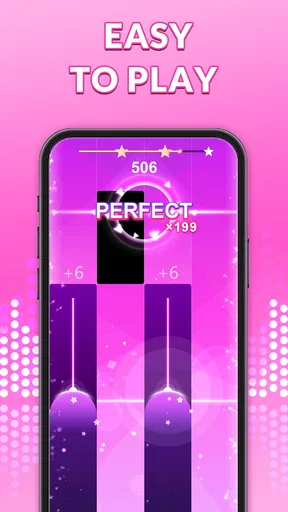
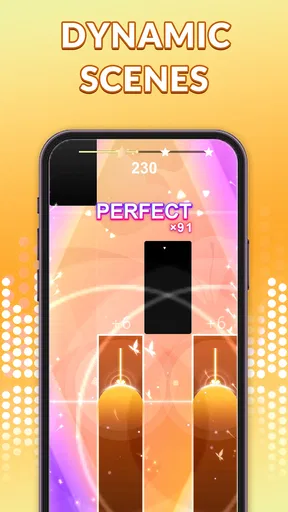
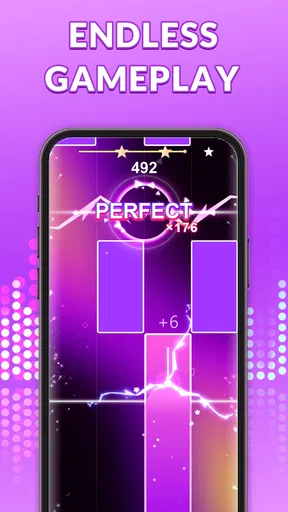
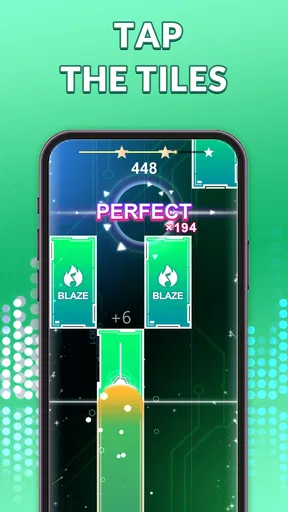
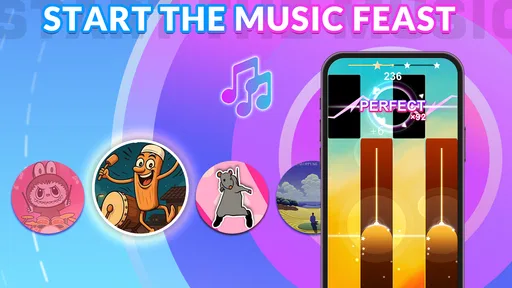

Our Review of Piano Hotwave
 Analysis by Appyee
I’d treat the name Piano Storm: Unleash the Beat as a promise of a quick, music-led game rather than a replacement for a full keyboard or piano lesson. Its appeal is the chance to pick up a phone and engage with music in short bursts, without needing an instrument beside you. If you want a casual way to test your timing or enjoy a game built around piano sounds, it is an easy idea to understand; whether it suits you depends on how much depth and control you expect from a mobile music game.
What speed feels like in a music game
With rhythm games, speed is not just about how quickly an app opens. The important test is whether the response feels dependable when a song gets busy: a tap that registers late can make a player blame their timing, while a screen that is hard to read can turn a fun run into guesswork. I’d approach Piano Storm with that distinction in mind. It is designed as entertainment, so the useful question is whether its play remains comfortable for your own device and tapping style, not whether a phone can imitate the feel of weighted piano keys.
For a first session, I’d start with a short, comfortable play period and pay attention to the relationship between what appears on screen and what you hear. If you are using the phone’s speakers, try a quiet room before deciding that the sound or timing is wrong; headphones can make musical details easier to notice, but they cannot compensate for every device or connection issue. This is a practical way to separate a personal setup problem from the game’s feel without turning a casual download into a technical project.
Where longer sessions can become demanding
A quick round during a break and a long session on a small screen are different kinds of use. As play continues, repeated tapping can tire your fingers, and keeping your eyes fixed on moving musical cues can become more demanding than the game initially suggests. I’d use brief sessions when relaxing or waiting, then pause if my hands start to tense. That is especially sensible if you are playing one-handed or holding a larger phone in an awkward position.
Sound is another part of the workload. Playing aloud may be fine at home, but headphones are a more considerate option in a shared room or on public transport. They also make it easier to focus, though I would keep the volume comfortable and avoid expecting a phone speaker to deliver the same presence as a real piano. A music game can make a spare moment enjoyable, but it is still best treated as screen time rather than background audio that demands no attention.
Reliability, updates, and what to expect
Piano Storm is made by Clingycat Games, and its current version is 1.3.8. The game has an average rating of 4.3 from around 1,300 ratings, with over a million installs. Those figures suggest that plenty of players have tried it, but they cannot tell you whether it will feel smooth on your particular phone or whether its style will suit you. I’d use them as context, not as a promise of identical performance for everyone.
If something feels off, I’d take a simple troubleshooting route before giving up: close and reopen the game, check that the device is not struggling with several demanding apps at once, and try again with a stable audio setup. For a rhythm-focused game, repeatedly switching between speakers and wireless headphones can make comparisons confusing, so I would keep the setup consistent while judging timing. The sensible expectation is that ordinary play should feel straightforward, while a specific device, background load, or audio route may change the experience.
Who should choose it—and who may prefer something else
This is a better fit for someone who wants music-themed play without setting up a full instrument. It can work for a short break, a casual challenge with a friend if the game’s available play options support that, or a first taste of tapping along to piano-based material. If your goal is to learn proper technique, read notation, or build hand independence, a dedicated piano-learning app or an actual keyboard will be a more useful choice. A virtual game can encourage musical curiosity, but it should not be mistaken for structured instruction.
It is also worth separating this from a general piano simulator. Those apps tend to focus on freely pressing keys and experimenting with melodies; a rhythm game puts more weight on responding to cues and keeping time. If you want open-ended playing, that distinction matters. If you want a light game that gives music a clear role, it is more relevant. Before committing to long sessions, I’d try it on the screen size you normally use and see whether the controls feel comfortable rather than assuming that a larger display automatically makes play easier.
There is a practical cost consideration too: the game is free to start, with in-app purchases priced from $7.99 to $12.99 per item. I would begin without buying anything and decide only after I know how often I return to it. In-app spending is easier to judge when you have a clear personal reason for it, rather than treating a purchase as a shortcut to enjoying the basic experience. The game is rated for Everyone and runs on Android 6.0 or later, which gives it a broad age and device range, though an older compatible phone may not feel as responsive as a newer one.
For an everyday example, imagine having ten minutes before a train arrives. I’d open the game for one short session, keep the volume low or use headphones, and stop when the train comes rather than trying to squeeze in a long, distracted run. At home, a parent could use the same short-session approach with a child, staying nearby and helping them manage in-app purchases. That makes the game easier to fit into real life and avoids treating a phone game as either a full music lesson or an activity that should occupy an entire afternoon.
The main uncertainty for any rhythm game is personal fit: finger reach, screen visibility, and the way sound comes through your device all affect enjoyment. I would not recommend it to someone who is sensitive to fast visual activity, dislikes tapping games, or needs precise practice feedback for learning piano. Those players are better served by a calmer music activity or a dedicated instrument-learning tool. If you are simply curious about a music game and are happy to judge it on your own phone, though, the free starting point makes trying it a low-commitment decision.
Hey there, music enthusiasts! If you've ever dreamed of tickling the ivories like a pro or just want to have some fun with a virtual piano, then Piano Storm might just be your next obsession. Let me walk you through my experience with this app and why it’s worth a spot on your device.
Getting Started with Piano Storm
First off, downloading Piano Storm was a breeze. A quick search in the app store, and I was tapping away at those virtual keys in no time. The app doesn’t take up much space, so no need to worry about clearing out your photo gallery just to make room.
Opening the app, I was greeted with a sleek and intuitive interface. Everything is laid out clearly, making it super easy for even the most tech-challenged among us to navigate. I love that they didn’t overcomplicate things—sometimes simplicity is key, right?
Features That Hit the Right Note
Piano Storm comes packed with features that cater to both beginners and seasoned musicians. For starters, there’s a learning mode that guides you through the basics. I found the step-by-step tutorials incredibly helpful, and the visual cues made it easy to follow along. It's like having a piano teacher right in your pocket!
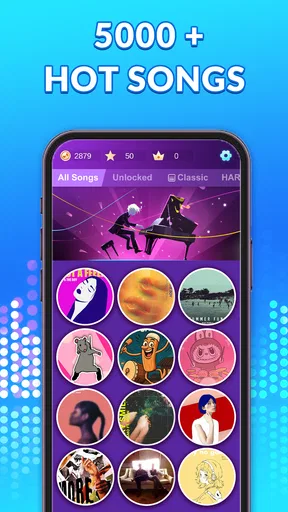
Then there's the song library. Oh boy, it's like a candy store for music lovers! The app offers a wide range of genres, from classical pieces to pop hits. I had a blast trying to master Beethoven's "Fur Elise" one moment and then switching to the latest chart-topping pop song the next.
One feature I didn’t expect to love as much as I did is the challenge mode. It’s a game-changer! Literally. This mode lets you compete against friends or other users in real-time, adding a fun, competitive edge to your practice sessions. Let me tell you, nothing gets your heart racing quite like trying to hit the right notes under pressure.
Sound Quality and Performance
Now, let’s talk sound. The audio quality is top-notch. Each note resonates beautifully, mimicking the sound of a real piano. I was genuinely impressed by how realistic the experience felt with just my phone speakers. Of course, popping in headphones elevates it to another level altogether.
The app runs smoothly, with no noticeable lag or glitches, even when I was frantically tapping away in challenge mode. Major props to the developers for optimizing the performance to keep everything running like a well-oiled machine.
Customization and Personalization
One of my favorite aspects of Piano Storm is the level of customization it offers. You can personalize your piano layout and adjust the sensitivity of the keys to suit your playing style. Plus, there are options to change the theme of the app, which is a nice touch for those who like to switch things up visually.
I also appreciated the ability to record my sessions. It’s a fantastic way to track progress and share performances with friends or on social media. After all, if you nail that tricky passage, you deserve to show it off!
Final Thoughts
So, is Piano Storm worth downloading? Absolutely! Whether you’re a beginner eager to learn or an experienced pianist looking for a fun challenge, this app offers something for everyone. The combination of educational tools, a vast song library, and competitive features makes it an ideal choice for music lovers.
For me, the best way to approach Piano Storm is as a convenient bit of musical entertainment: try a short session, see whether the controls suit your hands, and only spend money if you are sure you want to keep playing. Clingycat Games has a free game here, with optional purchases, but the right choice still depends on what you want from a music app. I’d pick it for casual tapping and a playful change of pace; for serious piano study or unrestricted keyboard practice, I’d choose a dedicated learning tool or a real instrument instead.
Give it a try, and who knows? You might just discover your inner maestro. Happy playing!
Verdict
Strengths of Piano Hotwave
- Intuitive interface for easy navigation.
- Wide range of songs to choose from.
- Customizable difficulty levels.
- Real-time feedback on performance.
- Offline mode available for practice.
Limitations of Piano Hotwave
- Contains occasional in-app ads.
- Limited free song selection.
- Some features locked behind a paywall.
- Requires internet for updates.
- May drain battery on older devices.
Similar Picks in This Category
View All
Tiles Hop Music & Ball Game
AMANOTES PTE. LTD.4.3

Magic Tiles 3™ - Piano Game
AMANOTES PTE. LTD.4.6

Real Piano
Bilkon3.7

Piano Game: Classic Music Song
Dream Tiles Piano Game Studio4.0

Smash Colors: Music Ball Rush
BADSNOWBALL HONGKONG LIMITED4.2

Piano Music Go-EDM Piano Games
Joy Journey Music Games4.5
Frequently Asked Questions
What is Piano Storm: Unleash the Beat?
Piano Storm: Unleash the Beat is an engaging rhythm game available for both Android and iOS devices. Players tap along to a variety of music tracks, each designed to challenge their timing and coordination. With stunning graphics and a diverse playlist, it offers an immersive musical experience.
What are the main features of Piano Storm?
Piano Storm offers a wide range of features, including multiple difficulty levels, an extensive song library spanning various genres, and customizable piano themes. The game also includes a practice mode, leaderboards, and social sharing options to enhance the competitive and interactive aspects of gameplay.
Is Piano Storm free to play?
Piano Storm is free to download and play. However, it offers in-app purchases for additional content, such as exclusive songs and premium features. While the base game provides plenty of enjoyment, these optional purchases can enhance the experience for dedicated players.
Can I play Piano Storm offline?
Yes, Piano Storm can be played offline. Once you've downloaded the game and any additional songs you want to play, you can enjoy it without an internet connection. This feature makes it convenient for players who wish to enjoy the game on the go.
What devices are compatible with Piano Storm?
Piano Storm is compatible with most modern Android and iOS devices. It requires Android version 5.0 and up, or iOS version 10.0 or later. Ensure your device meets these requirements to enjoy a smooth and responsive gaming experience.
Play our best games!


